
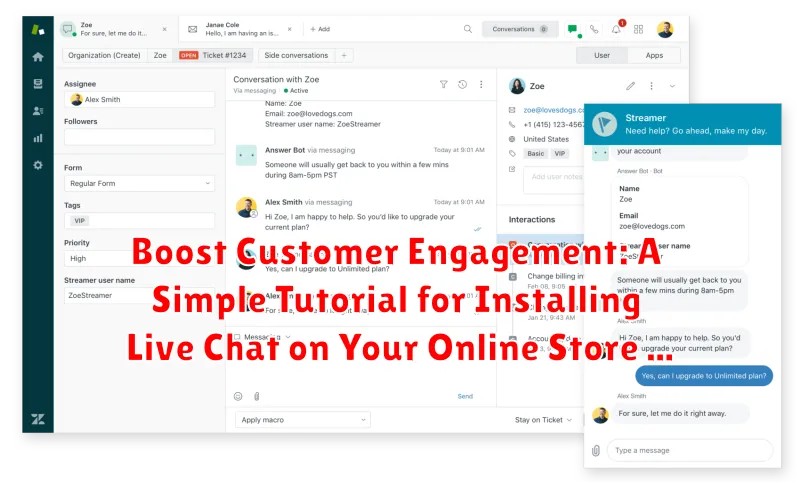
In today’s competitive digital landscape, customer engagement is paramount to the success of any online store. One of the most effective ways to boost engagement and foster meaningful connections with your customers is through live chat. Live chat offers immediate support, answers questions in real-time, and provides a personalized shopping experience that can significantly increase conversions. This simple tutorial will guide you through the process of installing live chat on your online store, enabling you to enhance customer satisfaction and drive sales growth. Learn how to effectively implement live chat and elevate your customer service strategy.
This tutorial will provide a step-by-step guide to installing live chat, regardless of your technical expertise. We will cover various live chat platforms, discuss the key features to consider, and offer practical tips for optimizing your live chat implementation. Whether you’re a small business owner or managing a large e-commerce platform, integrating live chat is a crucial step towards building stronger customer engagement and fostering long-term customer loyalty. Follow along to discover how to seamlessly integrate live chat on your online store and unlock the full potential of real-time customer interaction.
Why Live Chat is Essential for Online Stores
In today’s fast-paced digital world, customers expect immediate assistance. Live chat offers a convenient and efficient way for them to get the help they need, right when they need it. This real-time support significantly improves customer satisfaction and builds trust.
Live chat contributes to increased sales conversions. By providing instant answers to product questions and addressing concerns, live chat helps nudge hesitant customers towards making a purchase. It also allows for personalized recommendations and upselling opportunities.
Furthermore, live chat offers valuable insights into customer behavior. By monitoring chat transcripts, businesses can identify common pain points, understand customer preferences, and improve their products and services accordingly.
Finally, implementing live chat is generally cost-effective compared to traditional support channels like phone or email. It allows support agents to handle multiple chats simultaneously, reducing staffing needs and improving overall efficiency.
Choosing the Right Live Chat Software for Your Needs
Selecting the appropriate live chat software is crucial for maximizing its benefits. Consider your specific business needs and budget when evaluating different options.
Key features to look for include:
- Customization options: Tailor the chat widget’s appearance to match your branding.
- Real-time monitoring and reporting: Track chat volume, customer satisfaction, and agent performance.
- Mobile compatibility: Ensure seamless chat functionality on all devices.
- Integration with other tools: Connect your live chat with your CRM and other business applications.
- Scalability: Choose software that can grow with your business.
Pricing models vary, from free basic plans to premium subscriptions with advanced features. Carefully assess your requirements and choose a plan that offers the right balance of functionality and affordability.
Researching and comparing different live chat providers will help you make an informed decision and select the best solution for your online store.
Step-by-step Installation Guide for Your Chosen Live Chat Software
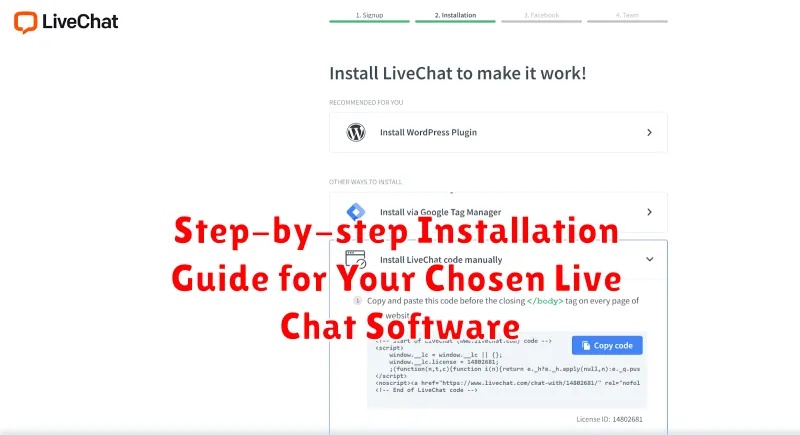
This guide provides general installation instructions. Refer to your chosen software’s official documentation for specific steps.
1. Account Creation and Setup
Begin by creating an account with your chosen live chat provider. Complete the required fields, including your website URL and business information. This usually involves selecting a plan and entering payment details.
2. Code Snippet Retrieval
After setup, locate the code snippet provided by the software. This snippet is typically a small piece of JavaScript code. Copy this code to your clipboard.
3. Website Integration
Access your website’s HTML editor or content management system (CMS). Find the section of your website’s code where you want the chat widget to appear, usually within the <body> tag or just before the closing </body> tag. Paste the copied code snippet into this section.
4. Testing and Verification
Save the changes to your website’s code. Visit your website to verify that the live chat widget appears correctly and is functioning as expected.
Customizing the Look and Feel of Your Live Chat Widget
Once you’ve installed your live chat software, you can customize its appearance to seamlessly integrate with your online store’s branding. Most platforms offer a range of customization options.
Color Scheme: Adjust the chat window’s colors to match your website’s palette. This creates a cohesive brand experience for your customers.
Position and Size: Experiment with the placement and dimensions of the chat widget. Consider what’s least intrusive yet easily accessible for visitors. Common positions include the bottom right or left corner of the screen.
Greeting Message: Craft a welcoming and informative initial message. Encourage visitors to engage with a clear call to action, such as “Ask us anything!” or “Need help? Chat with us.”
Agent Photos and Names: Adding a personal touch with agent photos and names builds trust and rapport with customers, making the interaction feel more human.
Offline Form: Customize the offline form that appears when no agents are available. Ensure it collects essential information and sets clear expectations for a response.
Integrating Live Chat with Your CRM and Other Tools
Integrating your live chat software with your Customer Relationship Management (CRM) system and other business tools can significantly enhance its effectiveness. This integration allows for a more streamlined workflow and provides valuable insights into customer behavior and preferences.
By connecting your live chat to your CRM, chat transcripts and customer data are automatically logged within the CRM, creating a centralized hub for customer information. This eliminates the need for manual data entry and ensures that all customer interactions are tracked and readily available to your team.
Further integration with other tools, such as email marketing platforms or helpdesk software, can automate follow-up communications and support ticket creation, improving customer satisfaction and team efficiency. The specific integration process will depend on your chosen live chat software and the tools you use. Refer to the respective documentation for detailed instructions on connecting these systems.
Training Your Team to Provide Excellent Live Chat Support
Equipping your team with the right skills is crucial for successful live chat implementation. Effective training ensures consistent, high-quality customer interactions.
Focus on these key areas:
- Product Knowledge: A thorough understanding of your products or services is essential. Team members should be able to answer questions accurately and confidently.
- Chat Etiquette: Train your team on professional online communication. This includes appropriate language, tone, and response times.
- Problem-Solving: Empower your team to handle common customer issues effectively and efficiently. Provide clear guidelines and resources for resolving problems.
- Software Proficiency: Ensure your team is comfortable navigating the live chat software. Practice sessions can build confidence and familiarity.
Regular refresher courses can reinforce best practices and address emerging challenges.
Measuring the Effectiveness of Your Live Chat Strategy
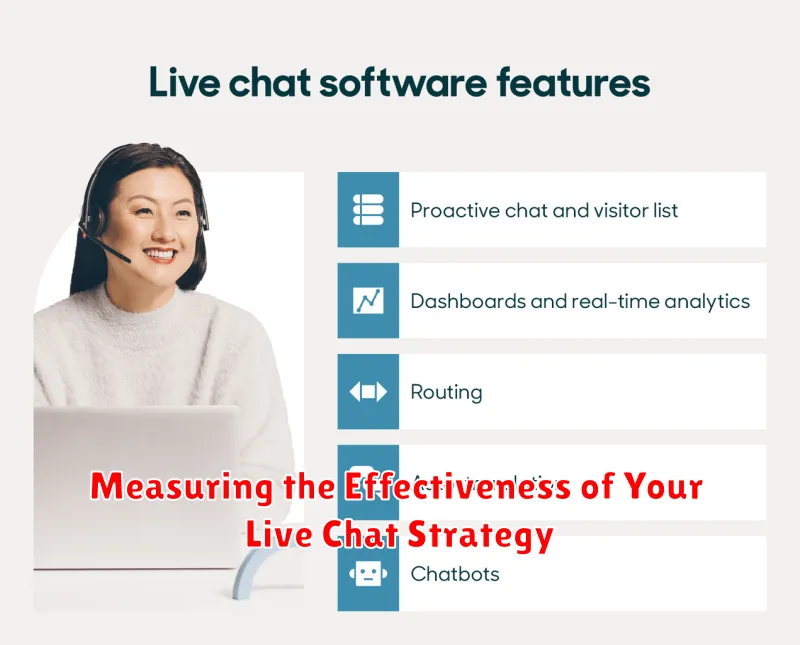
Analyzing the effectiveness of your live chat strategy is crucial for continuous improvement and maximizing its impact. Key metrics to track include:
Key Performance Indicators (KPIs)
-
Customer Satisfaction (CSAT) Score: This metric, often gathered through post-chat surveys, directly reflects how satisfied customers are with their live chat experience. Aim for high CSAT scores to indicate positive customer interactions.
-
First Response Time (FRT): A lower FRT demonstrates responsiveness and efficiency, contributing to a positive customer experience. Monitor and strive to minimize your FRT.
-
Average Resolution Time (ART): This measures the efficiency of your agents in resolving customer issues. A shorter ART generally leads to greater customer satisfaction.
-
Conversion Rate: Track how many live chat interactions lead to sales or desired actions. This helps demonstrate the value of live chat in driving business goals.
By regularly monitoring these KPIs, you can identify areas for improvement and optimize your live chat strategy for better performance and increased customer satisfaction.
Best Practices for Providing Outstanding Customer Service via Live Chat
Providing excellent customer service via live chat requires a dedicated approach. Proactive engagement is key. Greet customers shortly after they arrive on your site, offering assistance without being intrusive.
Personalized responses are crucial. Avoid generic, robotic replies. Address customers by name when possible and tailor responses to their specific questions or needs.
Efficient and timely responses demonstrate respect for the customer’s time. Have canned responses for frequently asked questions, but ensure agents can personalize them. Set clear expectations for response times and adhere to them.
Empathy and understanding go a long way in resolving customer issues. Actively listen to their concerns and acknowledge their frustrations. Offer sincere apologies when necessary and strive to find solutions that satisfy their needs.
Follow-up after the chat concludes can further enhance customer satisfaction. A brief email summarizing the conversation and confirming any actions taken reinforces professionalism and shows you value their business.
