
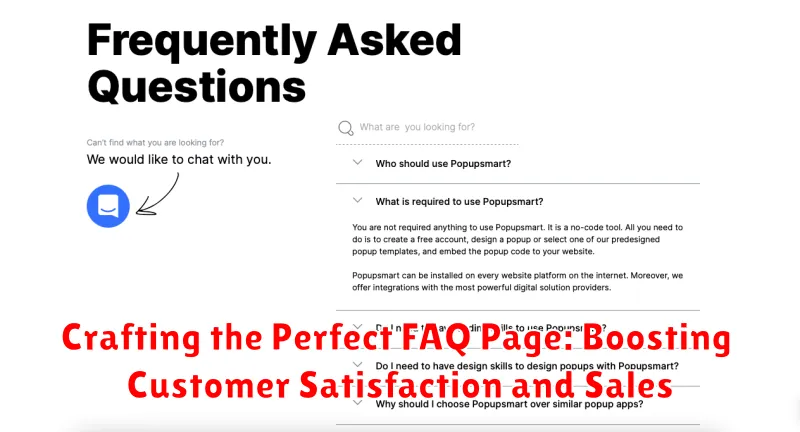
In today’s competitive digital landscape, a well-crafted FAQ page is more than just a customer service tool; it’s a powerful instrument for boosting customer satisfaction and driving sales. Crafting the perfect FAQ page requires careful consideration of your target audience’s needs, providing clear and concise answers to their most pressing questions, and strategically organizing information for effortless navigation. This comprehensive guide will delve into the essential elements of an effective FAQ page, equipping you with the knowledge to transform this often-overlooked section of your website into a dynamic resource that enhances the customer experience and ultimately contributes to your bottom line.
By addressing common customer queries proactively, a robust FAQ page can significantly reduce customer service inquiries, freeing up valuable time and resources. It also empowers customers to find the information they need quickly and efficiently, fostering a sense of self-sufficiency and improving overall customer satisfaction. Moreover, a strategically optimized FAQ page can play a crucial role in the sales process by addressing potential objections, building trust, and ultimately influencing purchasing decisions. This article will explore how crafting the perfect FAQ page can contribute to a seamless customer journey, from initial inquiry to final purchase, boosting both conversions and brand loyalty.
Understanding the Importance of a Well-Crafted FAQ Page
A well-crafted FAQ page is more than just a list of questions and answers; it’s a powerful tool that can significantly impact customer satisfaction and drive sales. It serves as a 24/7 customer service representative, providing instant support and reducing the workload on your support team.
By proactively addressing common customer inquiries, you build trust and credibility. A comprehensive FAQ page demonstrates your commitment to customer service and shows that you understand their needs. This can lead to increased customer confidence and a higher likelihood of conversion.
Furthermore, a well-structured FAQ section can improve your website’s SEO. By incorporating relevant keywords and providing valuable content, you can attract more organic traffic and improve your search engine rankings. This increased visibility can translate into more leads and ultimately, higher sales.
Finally, a user-friendly FAQ page contributes to a positive user experience. By providing quick and easy access to information, you empower customers to find answers independently, reducing frustration and enhancing their overall interaction with your brand.
Identifying Key Questions Your Customers Are Asking
A truly effective FAQ page addresses real customer inquiries. Gathering these questions is crucial. Several avenues can provide valuable insights.
Customer Support Interactions: Your customer service team is a goldmine of information. Review support tickets, chat logs, and email correspondence to identify recurring questions.
Sales Team Feedback: Sales representatives frequently encounter customer queries during the sales process. Tap into their knowledge to understand common pre-sales questions.
Social Media Monitoring: Pay close attention to questions asked on your social media channels. This can reveal trending topics and concerns.
Product Reviews: Both positive and negative product reviews often contain valuable questions or highlight areas where customers need more information.
Surveys and Feedback Forms: Directly ask customers what questions they have. Implement short surveys on your website or include feedback forms with purchases.
Structuring Your FAQ Page for Easy Navigation and Clarity
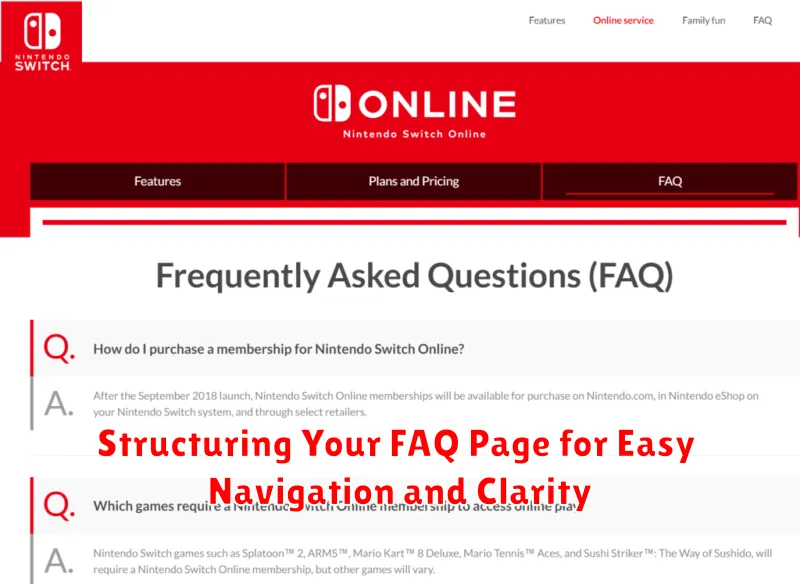
A well-structured FAQ page ensures customers can quickly find the answers they need. Organization is key to achieving this. Consider using categories to group similar questions. This is particularly helpful if your business offers a wide range of products or services.
Clear headings are essential for each category and individual question. Use concise and descriptive language that accurately reflects the content of the answer. Avoid jargon or technical terms that your customers might not understand.
Employing a collapsible or expandable format for the answers keeps the page clean and uncluttered. This allows customers to scan the questions and only expand those relevant to their needs. A search bar can also be a valuable addition, especially for extensive FAQ pages. This empowers users to quickly locate information by entering keywords related to their query.
Optimizing Your FAQ Content for Search Engines
A well-optimized FAQ page not only serves your customers but also boosts your website’s search engine visibility. By strategically incorporating relevant keywords, you can improve your rankings and attract more organic traffic.
Keyword Research: Begin by identifying relevant keywords and long-tail phrases that potential customers might use when searching for answers to their questions. Utilize keyword research tools to discover high-volume, low-competition keywords related to your products or services.
Strategic Keyword Placement: Naturally incorporate these keywords into your FAQ questions and answers. Avoid keyword stuffing, which can negatively impact your SEO. Focus on providing clear, concise, and helpful information that addresses user queries effectively.
Structured Data Markup: Implement FAQ schema markup to help search engines understand the content on your page. This can lead to rich snippets in search results, making your FAQ entries more prominent and attractive to users.
Page Title and Meta Description: Optimize your FAQ page’s title tag and meta description with relevant keywords to improve click-through rates from search engine results pages (SERPs).
Designing an Appealing and User-Friendly FAQ Section
A visually appealing and easy-to-navigate FAQ section encourages customer engagement and reduces frustration. Consider these design elements for an effective and user-friendly experience.
Visual Hierarchy and Readability
Use clear headings and subheadings to organize information. Font choices should prioritize readability. Employing sufficient white space prevents the page from feeling cluttered. A clean, organized layout makes it easier for customers to find the answers they need.
Search Functionality
For extensive FAQ sections, a search bar is essential. This allows customers to quickly find specific information without having to scroll through numerous questions. Ensure the search function is prominently displayed and easy to use.
Mobile Responsiveness
Your FAQ section must be fully responsive across all devices. Customers should have the same seamless experience whether they are viewing the page on a desktop, tablet, or smartphone.
Using FAQs to Reduce Customer Service Inquiries and Boost Sales
A well-crafted FAQ page acts as a first line of defense against a deluge of customer service inquiries. By proactively addressing common questions, you empower customers to find solutions independently. This frees up your customer service team to handle more complex issues, ultimately leading to increased efficiency and cost savings.
Beyond reducing inquiries, FAQs can directly influence sales. Addressing potential hesitations or uncertainties about your products or services can significantly impact a customer’s purchase decision. By clearly outlining key features, benefits, and policies, you build trust and encourage customers to complete their purchase.
Strategic placement of your FAQ section can further amplify its impact. Consider embedding relevant FAQs on product pages or during the checkout process to address concerns at critical decision-making points. This targeted approach can lead to higher conversion rates and a more seamless customer experience.
Keeping Your FAQ Page Up-to-Date and Relevant
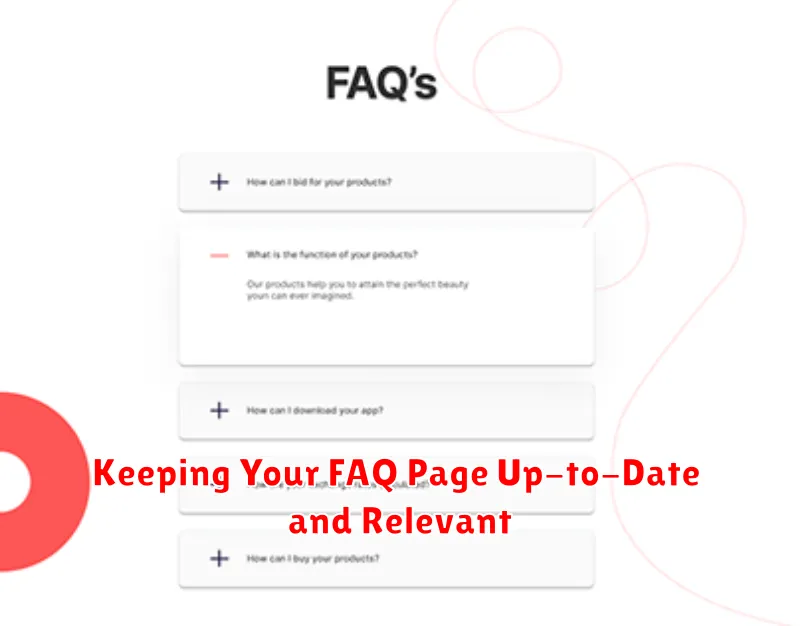
A stagnant FAQ page can be more detrimental than helpful. Regularly reviewing and updating your FAQ content is crucial for maintaining its effectiveness. Aim to refresh your FAQs at least quarterly, or more frequently if your business undergoes significant changes.
Monitor customer inquiries coming through other channels like email or customer support calls. These inquiries often reveal emerging questions that should be added to your FAQ page. Track which questions are asked repeatedly, as this indicates areas where your existing FAQs may be insufficient.
Analyze website analytics to identify pages with high bounce rates or long dwell times. This could signify customer confusion, and the FAQ page can address these pain points proactively. Consider implementing a feedback mechanism on your FAQ page, allowing users to rate the helpfulness of individual entries or suggest new topics.
Finally, keep an eye on industry trends and competitor FAQs. Staying informed about evolving customer needs and expectations ensures your FAQ page remains a valuable resource and a competitive advantage.
Measuring the Effectiveness of Your FAQ Page
Analyzing your FAQ page’s performance is crucial for continuous improvement. Tracking key metrics helps you understand its impact on customer satisfaction and identify areas for enhancement.
Key Performance Indicators (KPIs) to consider include:
- Page Views: Monitor the number of visits to your FAQ page to gauge its overall usage.
- Search Terms Used: Analyze the search queries entered on your site to understand what information customers are seeking.
- Internal Search Click-Through Rate (CTR): Track the percentage of users who click on a link in the search results, reflecting the relevance of the provided answers.
- Ticket Deflection Rate: Measure the reduction in customer support tickets related to questions answered on the FAQ page. This demonstrates the page’s effectiveness in resolving issues independently.
- Customer Satisfaction (CSAT) Scores: Implement surveys or feedback mechanisms on the FAQ page to assess customer satisfaction with the answers provided.
By regularly monitoring these metrics, you can identify areas where your FAQ page excels and where improvements are needed, ensuring it remains a valuable resource for your customers.
