
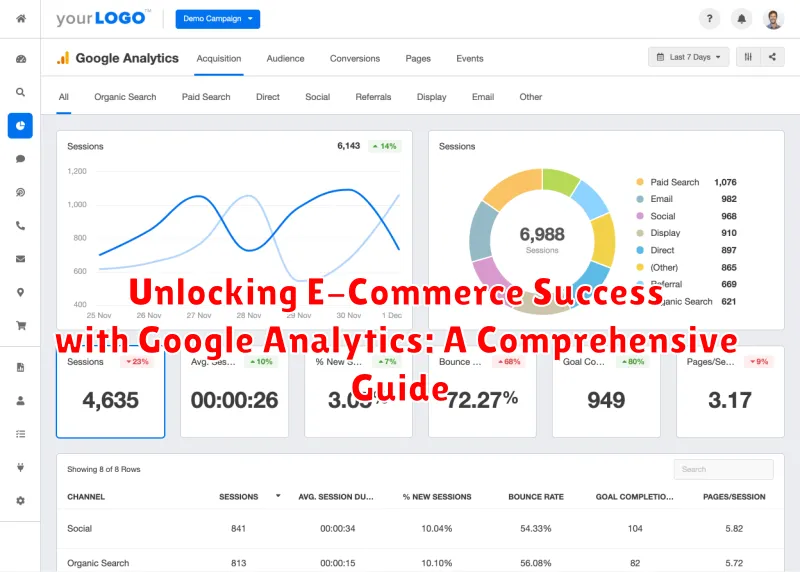
In today’s competitive digital landscape, e-commerce success hinges on data-driven decisions. This comprehensive guide delves into the power of Google Analytics, an indispensable tool for online businesses seeking to understand their customers, optimize their websites, and ultimately, drive conversions. Whether you’re a seasoned e-commerce professional or just starting out, mastering Google Analytics is crucial for unlocking your business’s full potential. This guide will equip you with the knowledge and practical skills to leverage Google Analytics to enhance your e-commerce strategy and achieve sustainable growth.
From understanding key e-commerce metrics to implementing advanced tracking techniques, this guide covers it all. Learn how to effectively utilize Google Analytics reports to identify trends, pinpoint areas for improvement, and make informed decisions about your marketing campaigns, product offerings, and overall customer experience. We will explore essential features such as Enhanced Ecommerce, Conversion Tracking, and Audience Analysis to empower you to make data-backed adjustments that will ultimately lead to increased sales and revenue for your e-commerce business.
Setting Up Google Analytics for Your E-Commerce Store
Setting up Google Analytics for your e-commerce store is the crucial first step towards understanding your online business performance. It allows you to collect valuable data about your customers, products, and marketing efforts.
First, you’ll need to create a Google Analytics account. Once created, you’ll receive a unique tracking ID. This ID is a snippet of JavaScript code that needs to be added to every page of your website.
E-commerce platforms like Shopify, WooCommerce, and Magento often simplify this process by offering built-in integrations with Google Analytics. These integrations typically require you to simply input your tracking ID.
If you’re using a custom-built website, you’ll need to manually add the tracking code within the <head> section of your website’s HTML. Ensure the code is placed correctly to avoid data discrepancies.
Finally, enable enhanced ecommerce tracking within the Google Analytics interface. This provides deeper insights into customer purchasing behavior, product performance, and sales data.
Tracking Key E-Commerce Metrics in Google Analytics
Once Google Analytics is properly configured for e-commerce tracking, you gain access to a wealth of data. This data provides valuable insights into your online store’s performance.
Key metrics you can track include:
- Transactions: The total number of completed purchases.
- Revenue: The total value of all transactions.
- Average Order Value (AOV): The average amount spent per order. Calculate this by dividing total revenue by the number of transactions.
- Conversion Rate: The percentage of website sessions that result in a transaction. This is a crucial metric for assessing the effectiveness of your sales funnel.
- Product Performance: Track individual product revenue, quantity sold, and conversion rates to identify bestsellers and underperforming items.
By monitoring these metrics, you gain a clear understanding of your store’s financial performance and identify areas for improvement.
Analyzing Customer Behavior with Google Analytics
Understanding customer behavior is crucial for e-commerce success. Google Analytics provides valuable insights into how customers interact with your online store. By analyzing this data, you can optimize the user experience, personalize marketing efforts, and ultimately boost sales.
Customer Segmentation: Google Analytics allows you to segment customers based on various demographics and behaviors. This enables targeted marketing campaigns tailored to specific customer groups.
Behavior Flow: Visualize the paths customers take through your website. Identify drop-off points and areas of friction to streamline the customer journey.
Conversion Tracking: Track conversions, such as purchases and newsletter sign-ups, to understand which marketing channels and strategies are most effective. Analyze conversion rates to identify areas for improvement.
Using Google Analytics to Improve Product Performance
Google Analytics provides invaluable data for optimizing your product offerings. By analyzing product performance, you can identify top sellers, underperforming items, and opportunities for improvement.
Product Performance Reports within Google Analytics offer insights into metrics such as product revenue, quantity sold, average price, and conversion rate. Use these reports to identify your best-performing products. This information can inform decisions on inventory management, marketing strategies, and even product development.
Analyzing underperforming products is crucial. Google Analytics helps pinpoint why certain products aren’t selling well. Are they not being viewed? Is the bounce rate high on their product pages? This data guides improvements to product descriptions, imagery, or even pricing adjustments.
Shopping Behavior Analysis offers another layer of understanding. This report illustrates the steps customers take before purchasing, identifying potential drop-off points. Addressing these friction points in the customer journey can lead to increased conversions and improved product performance.
Leveraging Google Analytics for Enhanced Marketing Campaigns
Google Analytics provides invaluable data to refine and optimize your marketing campaigns. By understanding how users interact with your marketing efforts, you can make data-driven decisions to improve ROI.
Campaign Tracking: Implement UTM parameters in your campaign URLs to track the performance of specific marketing channels. This allows you to identify which sources are driving the most valuable traffic and conversions.
Conversion Attribution: Analyze conversion paths to understand how different marketing touchpoints contribute to a sale. This insights helps allocate budget effectively across channels.
Audience Segmentation: Use Google Analytics to segment your audience based on demographics, behavior, and interests. This enables you to tailor your marketing messages for specific groups, increasing engagement and conversions.
A/B Testing: Use Google Analytics to track the results of A/B tests on your landing pages and marketing creatives. Identify the variations that resonate best with your target audience and optimize for better performance.
Integrating Google Analytics with Other E-Commerce Platforms
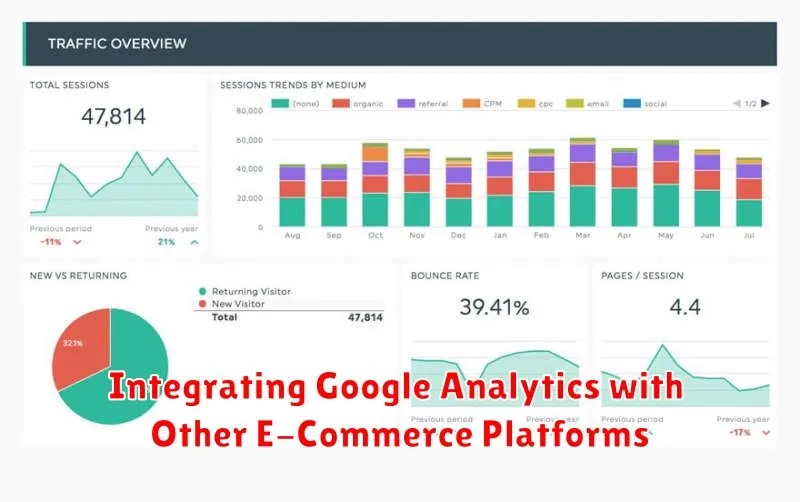
Integrating Google Analytics with your e-commerce platform is crucial for a holistic understanding of your online store’s performance. This integration allows for seamless data flow, enabling you to track key metrics and make informed decisions.
Most popular e-commerce platforms offer built-in integrations or plugins that simplify the connection process. For example, platforms like Shopify, WooCommerce, and Magento often have dedicated extensions or settings to link directly with Google Analytics. This typically involves adding your Google Analytics tracking ID to your platform’s settings.
Key benefits of integrating Google Analytics with your e-commerce platform include enhanced tracking of transactions, revenue, product performance, and customer behavior. This data is essential for optimizing your sales funnel, marketing campaigns, and overall business strategy.
If your platform doesn’t offer a direct integration, you may need to implement custom tracking code or utilize Google Tag Manager. Ensure you follow platform-specific instructions and best practices for accurate data collection.
Generating Custom Reports for Actionable Insights
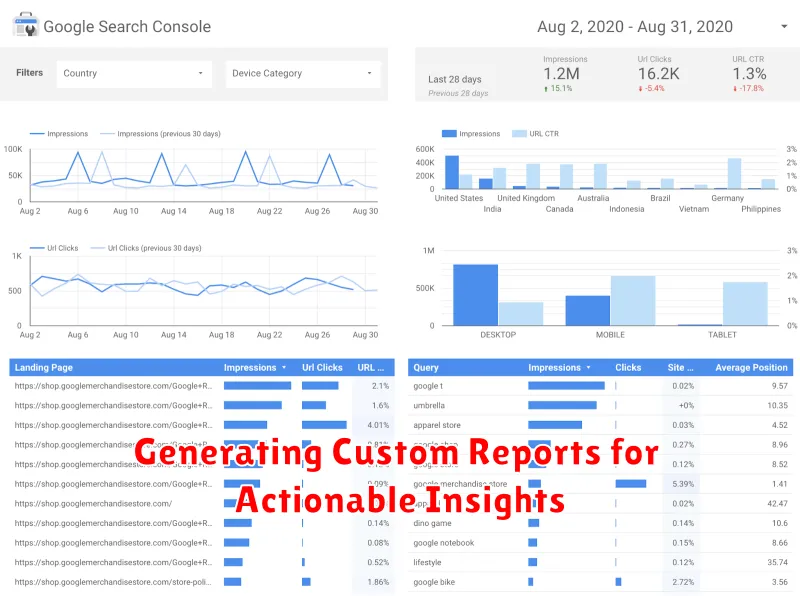
While standard Google Analytics reports offer a good overview, custom reports provide the granular data necessary for targeted action. These reports empower you to isolate specific metrics and dimensions relevant to your unique business objectives.
Begin by defining the key performance indicators (KPIs) you need to track. Are you most concerned with conversion rates, average order value, or product performance? Once identified, select the corresponding dimensions, like source/medium, campaign, or product category, to analyze these KPIs in context.
Example Custom Report:
| Metric | Dimension |
|---|---|
| E-commerce Conversion Rate | Device Category |
This simple report reveals conversion rate differences across devices (desktop, mobile, tablet), highlighting potential areas for improvement in user experience or marketing campaigns.
